Market Demand Forecaster / Product design · Data visualization
From market signals
to clear decisions.
An inventory-planning concept that turns market signals into explained recommendations and a clear next action.
- ROLE
- Product concept · UX/UI · Data visualization
- FOCUS
- Inventory decisions + explainability
- DELIVERABLES
- Forecast dashboard, recommendations + in-app Portfolio Mode
- TOOLS
- Lovable · Vercel
AT A GLANCE
- The problem
- Dealers have plenty of market data, but inventory calls are still reactive, spread across disconnected tools and made on instinct.
- My role
- Product concept, UX/UI, data visualization and the interactive prototype.
- What I built
- A city- and model-level demand dashboard with ranked fast movers, recommended inventory moves and a “Why?” panel for every prediction.
- Key decision
- No prediction without a reason: each one opens ranked contributing factors plus a plain-language summary.
- Skills shown
- Data visualization · Explainable AI UX · Dashboard IA · Prototyping
Self-initiated concept. Forecasts, probabilities and market signals in the prototype are mock data that demonstrate the experience.
01 / THE DESIGN QUESTION
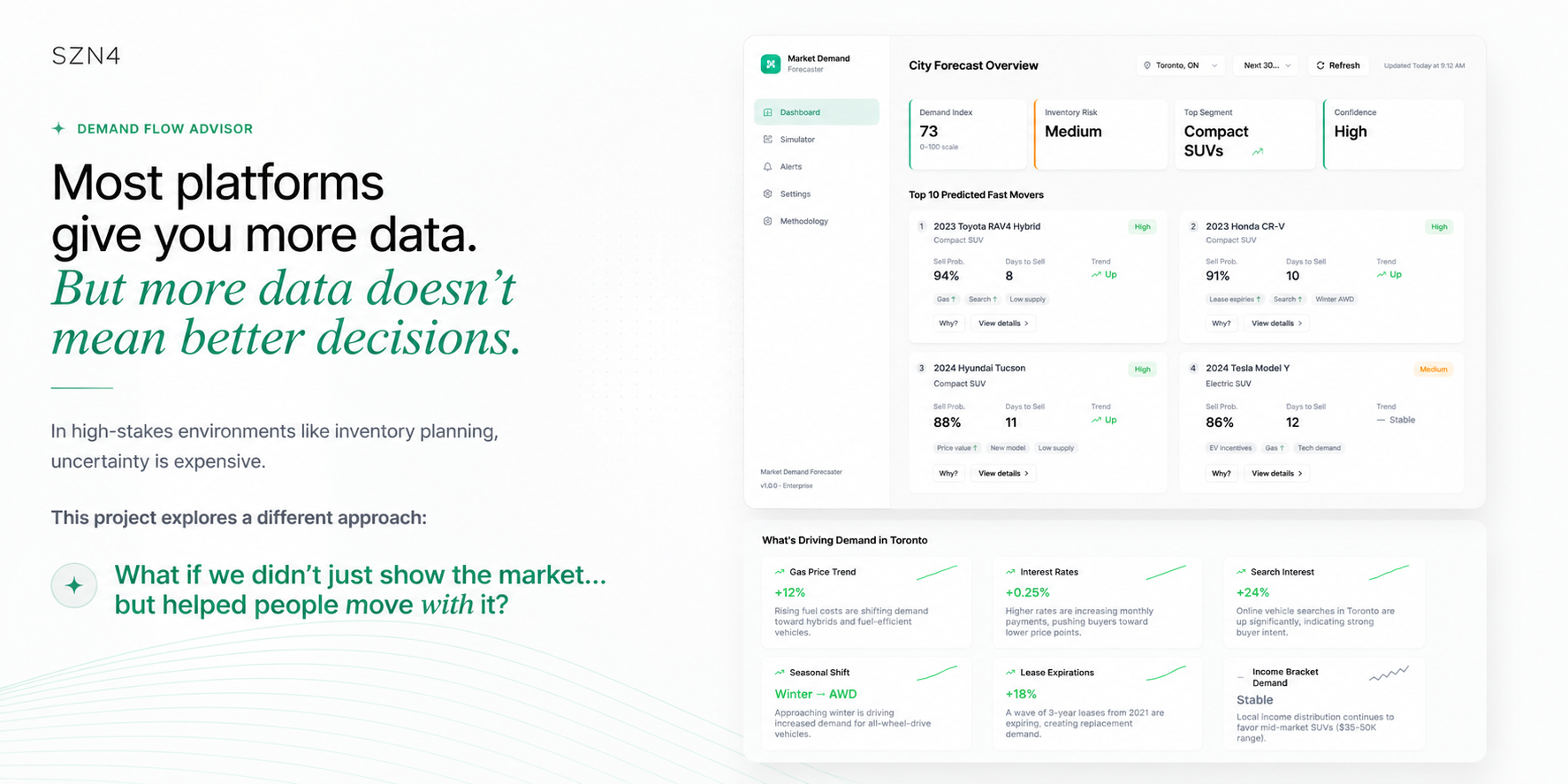
More data doesn’t mean better decisions.
Most platforms answer uncertainty with more charts. In inventory planning, where a wrong call means cars sitting on the lot, I wanted to explore a different question: what if the product didn’t just show the market, but helped people act on it?
02 / THE PROBLEM
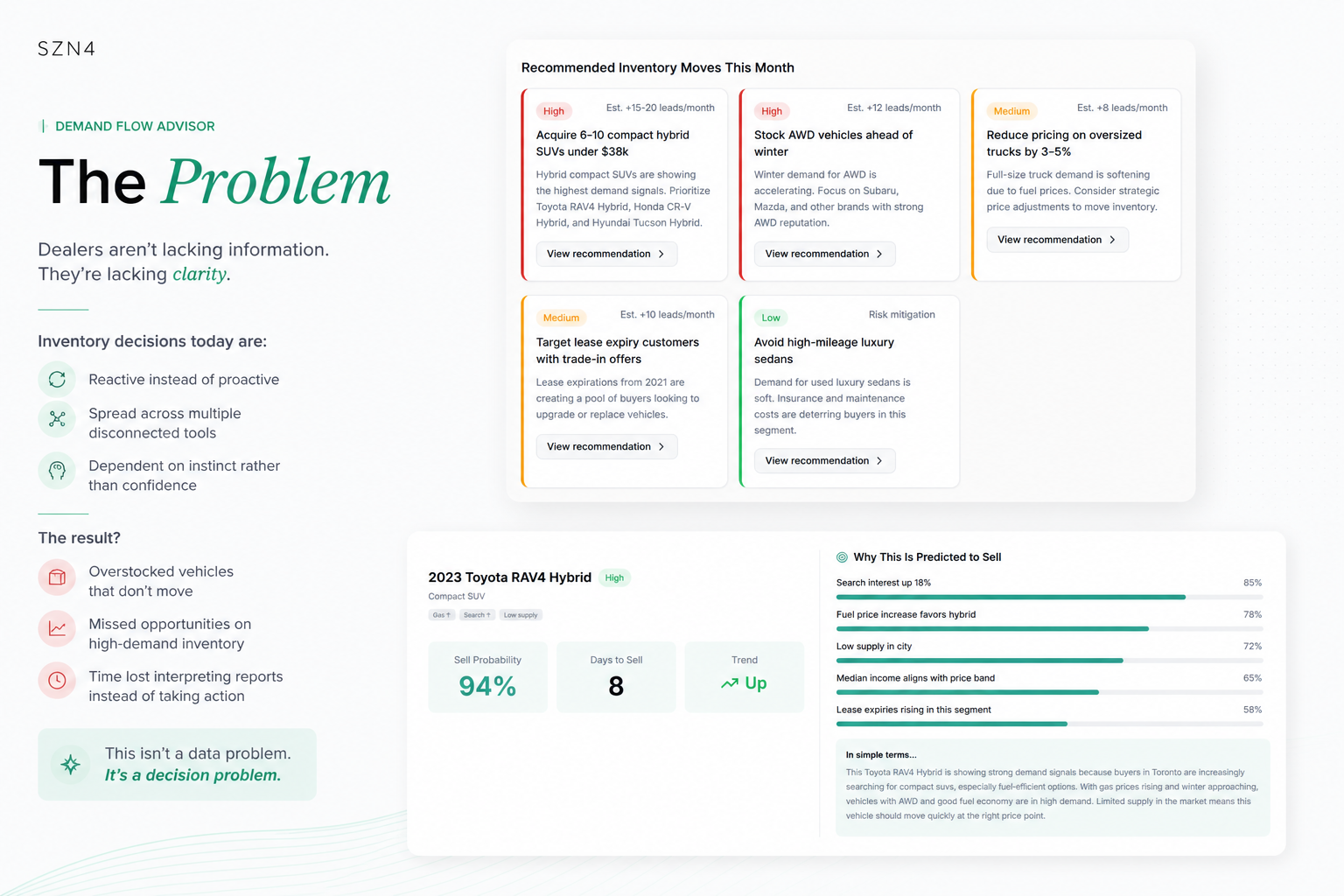
Not a data problem. A decision problem.
Inventory decisions today tend to be:
- Reactive instead of proactive
- Spread across multiple disconnected tools
- Dependent on instinct rather than confidence
The result is overstocked vehicles that don’t move, missed opportunities on high-demand models, and hours spent interpreting reports instead of acting on them.
03 / THE SOLUTION
A demand advisor, not another report.
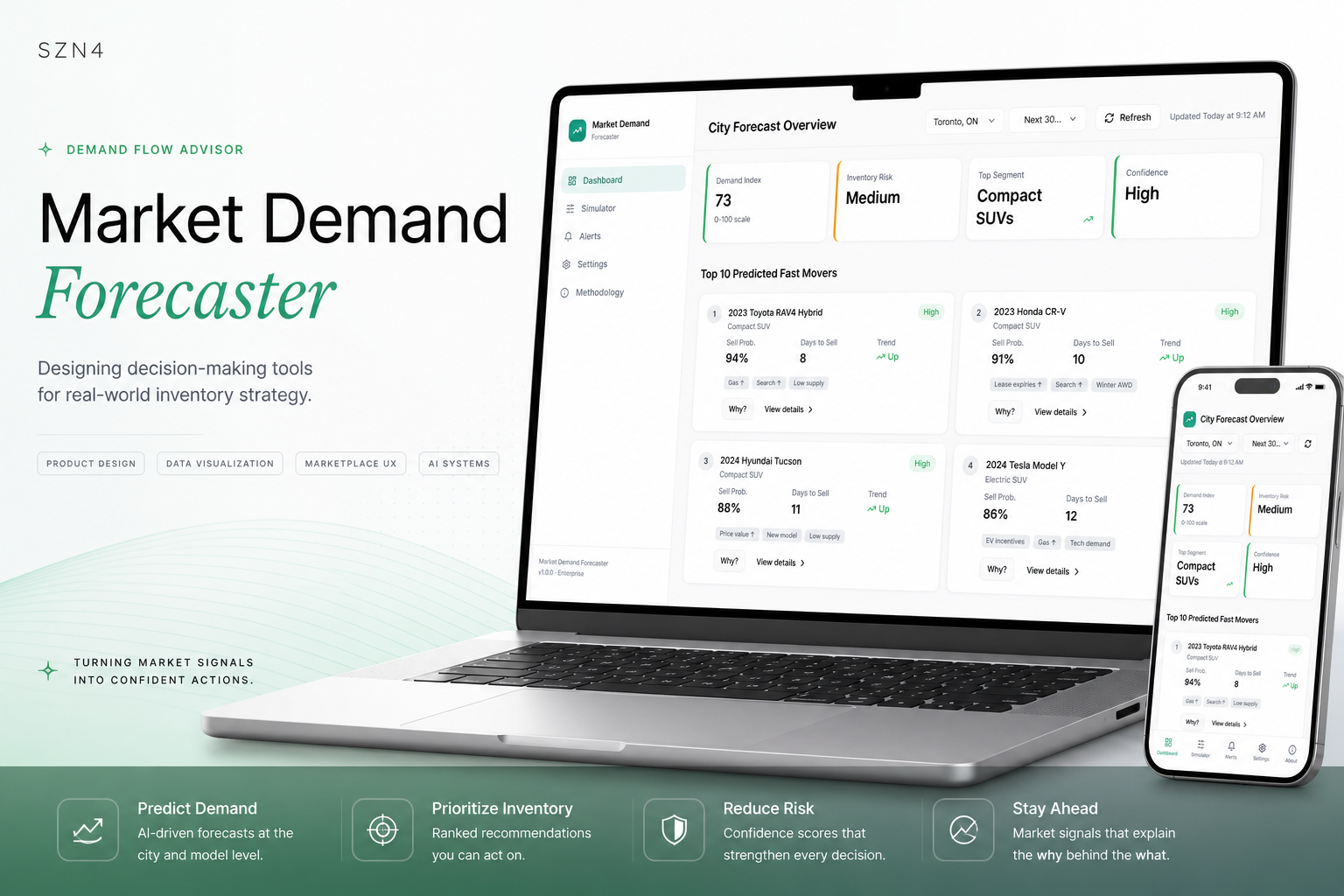
Forecasting
Predicts demand at the city and model level.
Ranked recommendations
Inventory moves the dealer can act on this month.
Visible confidence
Every prediction states how sure it is.
Market context
The signals behind the numbers, in plain language.
04 / DATA VISUALIZATION DECISIONS
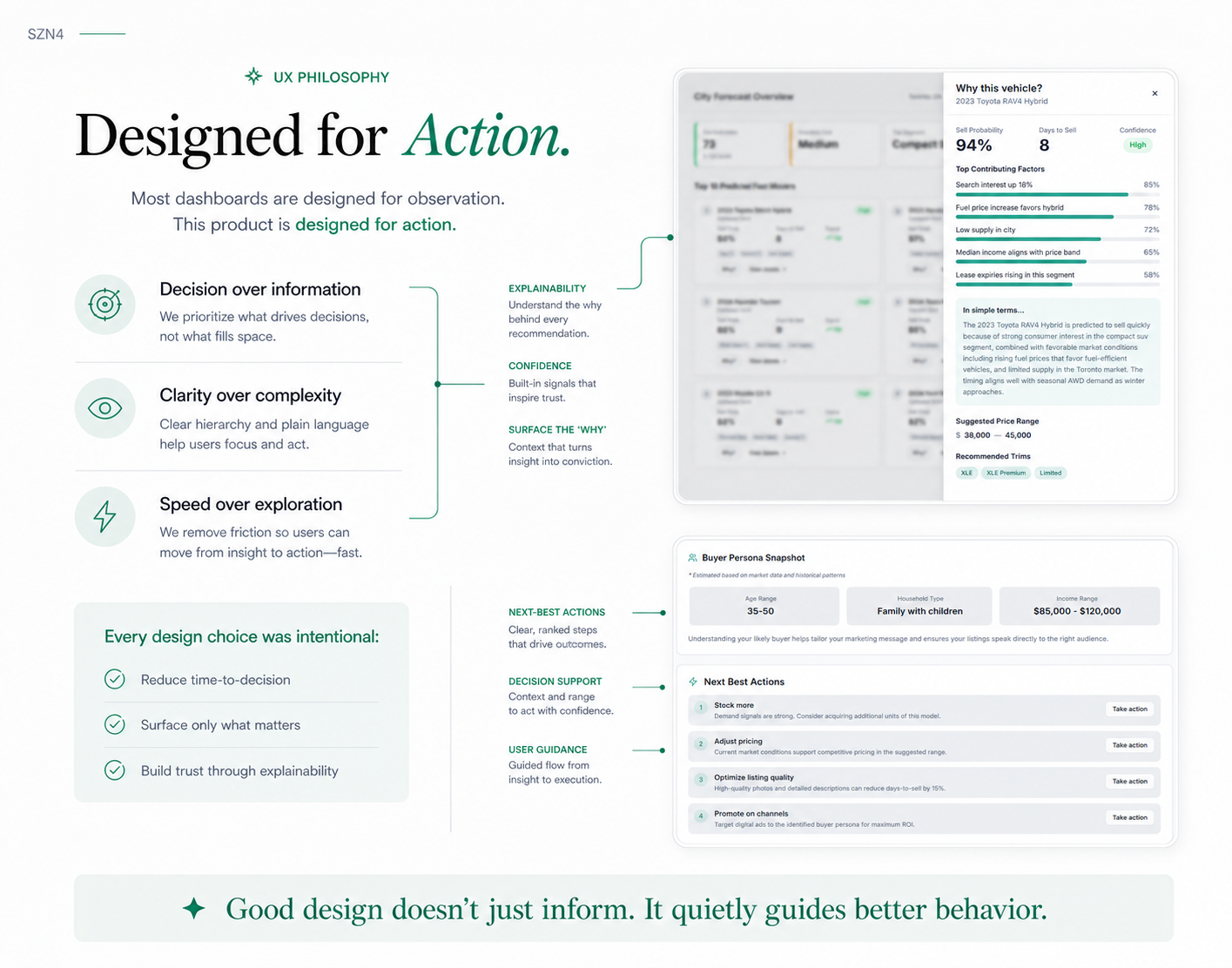
Designed for action, not observation.
Every element on the dashboard had to help someone decide something. The key choices:
- Four headline answers first. Demand index, inventory risk, top segment and forecast confidence sit at the top as single values, not charts, because they answer the first questions a manager asks.
- Cards, not a table, for fast movers. Each vehicle shows sell probability, days to sell and trend, plus small tags for the drivers (“Gas ↑”, “Low supply”), so the “what” and a hint of the “why” are read together.
- Colour only for priority. Recommended moves use a red, amber or green edge for High, Medium and Low priority, each with an estimated impact. Everything else stays neutral so the colour means something.
- “Why?” on every prediction. Contributing factors appear as ranked horizontal bars with their weight, the easiest form to compare at a glance, followed by an “In simple terms” summary for anyone who doesn’t read charts.
- End with a next step. Each vehicle closes with ranked Next Best Actions (stock more, adjust pricing, improve the listing) so insight leads straight to action.
05 / WHAT I’D VALIDATE NEXT
Would a dealer trust it over their gut?
- Trust: sit with two or three inventory managers and see whether the “Why?” panel changes their decision, or just confirms what they already believed.
- Confidence labels: check that people read “High confidence” the way it’s intended, and don’t treat it as a guarantee.
- Real data: connect the signals (search trends, lease expiries, fuel prices) to live sources before any forecast is shown as fact.
06 / REFLECTION
Designing for decisions under uncertainty.
This project wasn’t really about forecasting. It was about a very human moment: deciding without being sure. I’m interested in tools that don’t just show data, but create clarity, trust and momentum. Good design doesn’t just inform; it quietly guides better behaviour.
TAKE A CLOSER LOOK
Explore the experience.
Turn on Portfolio Mode in Settings to see the design rationale inside the prototype. Data is illustrative.